

Latch Agent offers two execution modes to match your workflow preferences. Choose Proactive mode for autonomous execution or Step-by-step mode for guided, incremental analysis with approval at each stage.
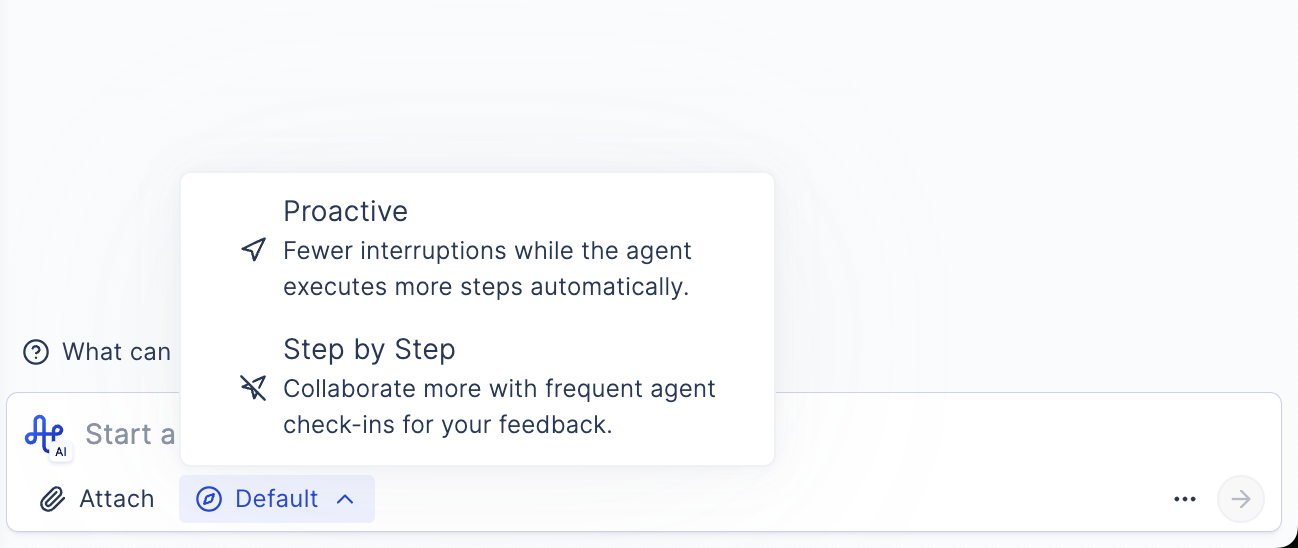
Execution Modes
Proactive Mode
In Proactive mode, the agent creates a plan and executes it automatically without requiring approval. This mode is ideal for:- Experienced users who trust the agent’s capabilities
- Well-defined tasks with clear requirements
- Time-sensitive analysis where speed is important
- Repetitive workflows that follow established patterns
Step-by-Step Mode (Default)
In Step-by-step mode, the agent pauses at each stage to show you results and get your approval before proceeding. This mode is ideal for:- Exploratory analysis where you want to guide the process
- Learning workflows where you want to understand each step
- Difficult datasets where you want careful oversight
- Complex analyses where intermediate results inform next steps
Switching Modes
You can switch between modes at any time during your session:- To Proactive: Click the mode toggle to enable autonomous execution
- To Step-by-step: Click the mode toggle to require approval at each stage
Best Practices
- Start with Step-by-step mode when exploring new analysis types
- Use Proactive mode for routine, well-understood workflows
- Switch to Step-by-step if results don’t match expectations