> ## Documentation Index
> Fetch the complete documentation index at: https://wiki.latch.bio/llms.txt
> Use this file to discover all available pages before exploring further.
# Messages
> Display styled and prominent messages to end users during and after workflow execution.
Task executions produce logs, displayed on the Latch console to provide users visibility into their workflows. However, these logs tend to be terribly verbose. It's tedious to sift through piles of logs looking for useful signals; instead, important information, warnings, and errors should be prominently displayed. This is accomplished through the Latch SDK's messaging feature.
## Usage
```python theme={null}
from latch import small_task, message
@small_task
def task():
...
try:
...
catch ValueError:
title = 'Invalid sample ID column selected'
body = 'Your file indicates that sample columns a, b are valid'
message(typ='error', data={'title': title, 'body': body})
...
```
The `typ` parameter affects how your message is styled. It currently accepts three options:
* `info`
* `warning`
* `error`
The `data` parameter contains the message to be displayed. It's represented as a Python `dict` and requires two inputs,
* `title`: The title of your message
* `body`: The contents of your message
For more information, see `latch.functions.messages` under the API docs.
## Messages Interface
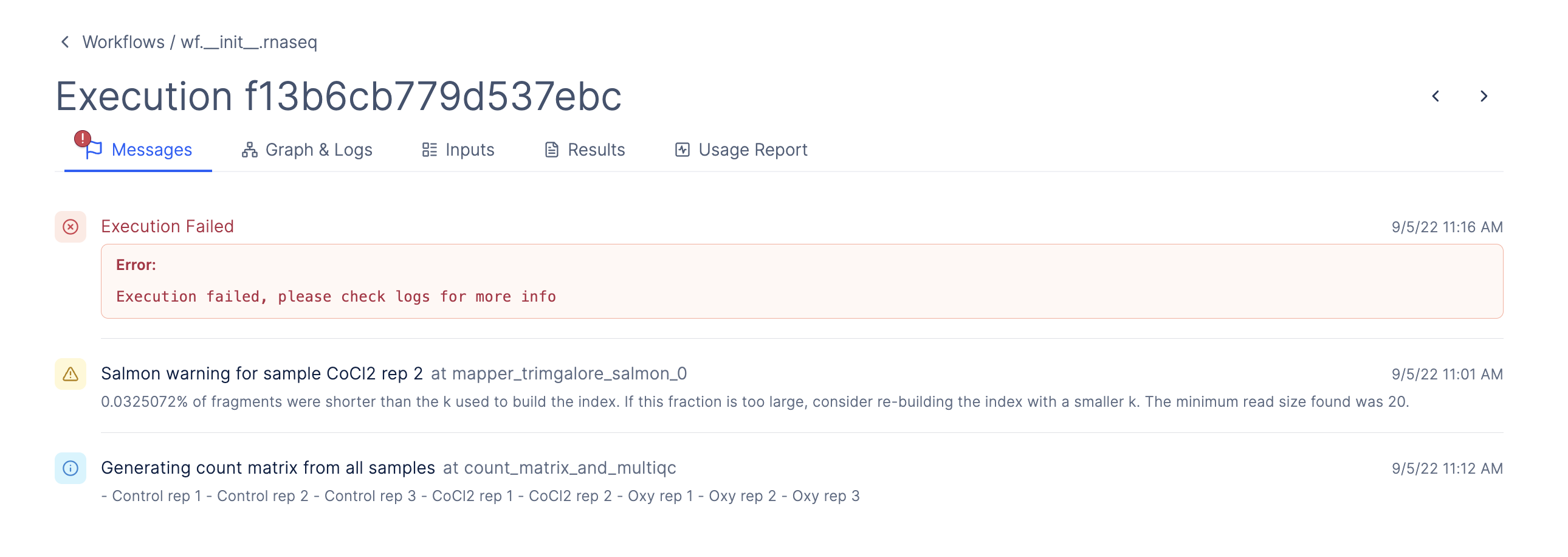
During and after workflow execution, all messages are displayed under the "Messages" tab for that workflow run.
 If you don't explicitly define a failure message for a task, the workflow automatically shows a default error message when the task fails. This default view also includes a button that lets the user request an LLM-generated explanation of the error.
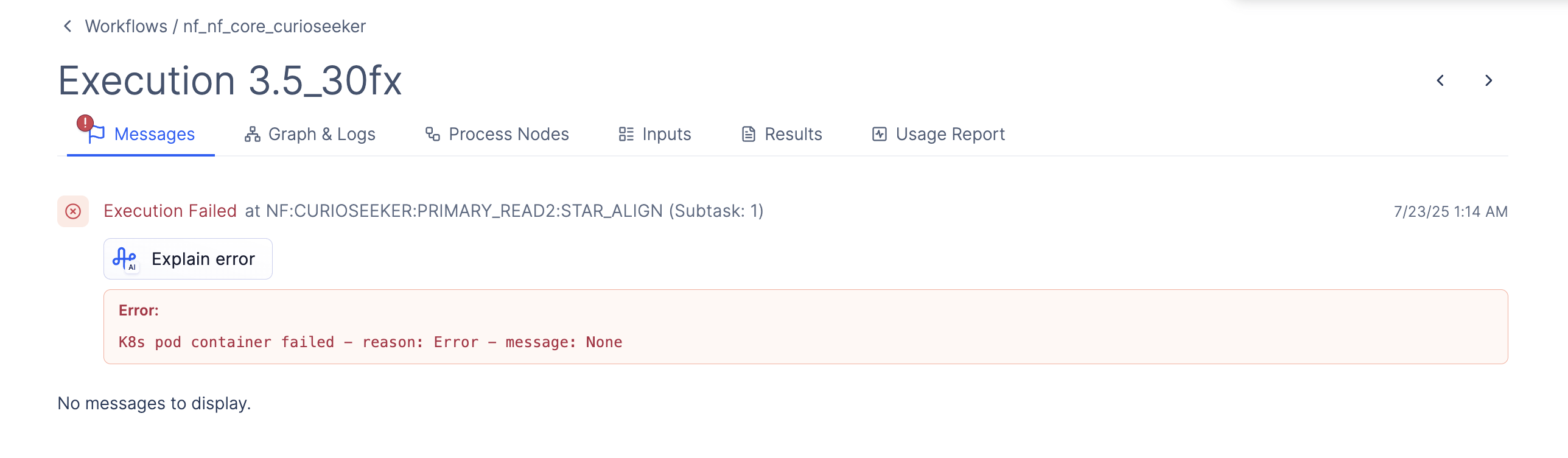 In the case where the workflow succeeds or is aborted, the message tab will be empty and say "No messages to display".