> ## Documentation Index
> Fetch the complete documentation index at: https://wiki.latch.bio/llms.txt
> Use this file to discover all available pages before exploring further.
# Caching and Resuming
The Nextflow integration leverages Nextflow's built-in caching mechanism to
store intermediate results of a workflow execution.
These cached outputs are retained after the execution has
completed, allowing users to make changes to their workflow and relaunch
without re-running the entire workflow.
By default, Latch will not store the intermediate outputs of a workflow after
completion. To enable this feature, update the `storage_expiration_hours` field
in the `NextflowResourceRuntime` object in your `latch_metadata`. This field
configures the number of hours the cache will be available for relaunch after
failure. If the workflow succeeds, the cache will be deleted immediately.
```python theme={null}
from latch.types.metadata import NextflowMetadata, NextflowRuntimeResources
NextflowMetadata(
...
runtime_resources=NextflowRuntimeResources(
storage_expiration_hours=7
)
)
```
The Nextflow work directory is stored in AWS EFS; therefore, increasing the `storage_expiration_hours`
for your workflow can significantly increase its cost.
The storage costs associated with Nextflow workflows can be found under "Nextflow EFS"
section on the Latch Console billing page.
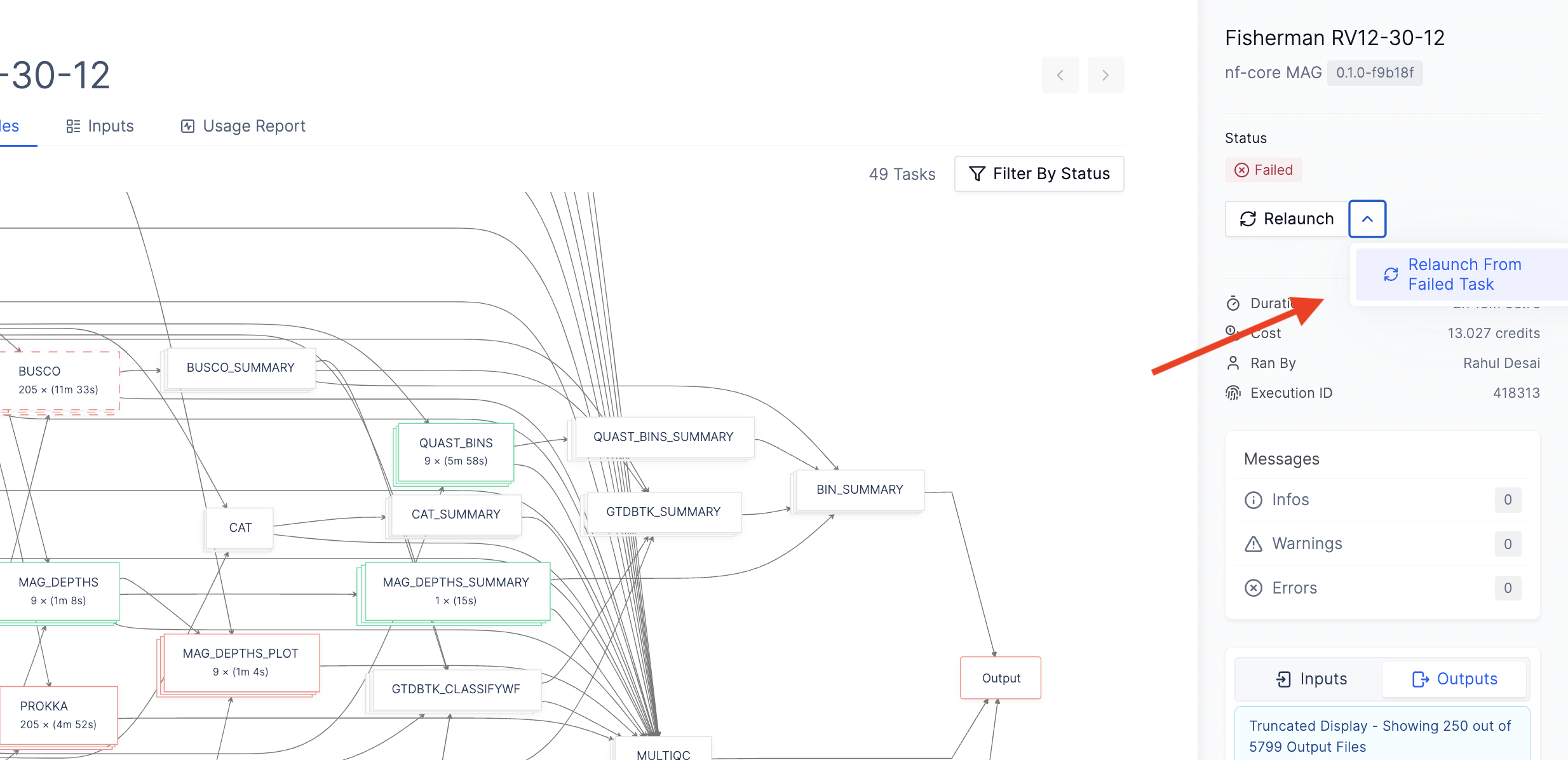
Once you have configured the `storage_expiration_hours` and launched your updated
workflow, you can resume failed executions from the Latch Console.
To resume a Nextflow pipeline from a failed task, click the "Relaunch from
Failed Task" button in the sidebar of your workflow execution: