> ## Documentation Index
> Fetch the complete documentation index at: https://wiki.latch.bio/llms.txt
> Use this file to discover all available pages before exploring further.
# Workspaces & Orgs: An Overview
> Learn about roles and permissions for members of an organization.
**Latch Workspaces** are collaborative environments where teams can manage projects, share data, and utilize Latch's bioinformatics tools.
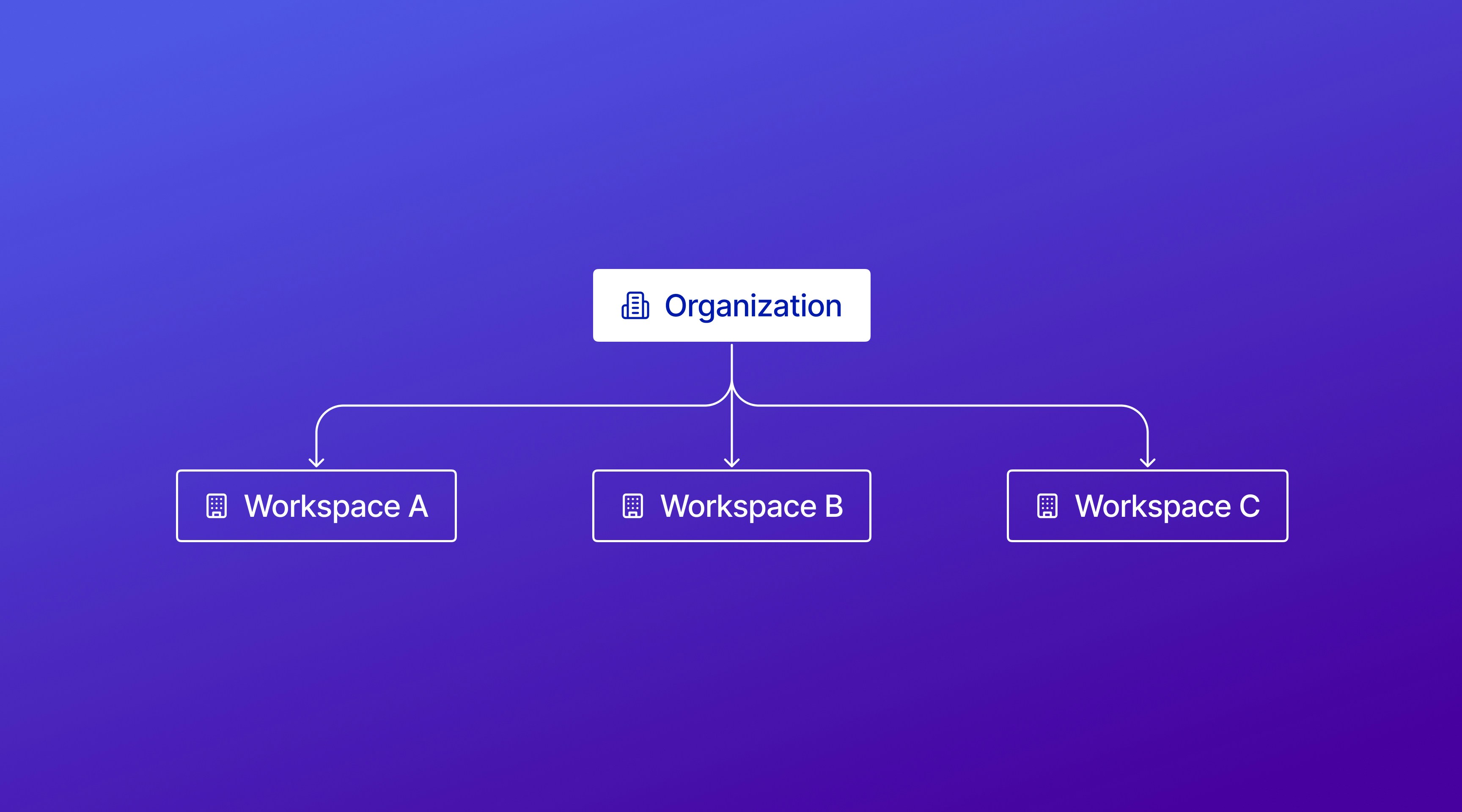
**Latch Organizations** provide a higher-level management structure for multiple workspaces.
 Manage settings within a workspace
{" "}
Manage multiple workspaces under a single organization on Latch
## What are Workspaces?
**In Workspaces you can...**
* Manage your team members and their [access](/admin/workspaces/roles) to the workspace as well as workspace-specific [billing](/admin/workspaces/billing), including credit balance and usage across Latch products.
* Share data with your team and organize [data](/data/overview) within the workspace.
* Run and manage [workflows](/workflows/overview) for efficient bioinformatics analyses within the workspace.
* Utilize [Latch Pods](/pods/overview) for compute and containerized tools, and access the [Registry](/registry/what-is-a-registry) for metadata labeling.
##### **Use a Workspace when:**
* You're working on a single project or with one team.
* You need to manage and allocate resources for a specific initiative.
* You require fine-grained control over access permissions for different team members within a project.
## What are Organizations?
**In Organizations you can...**
* Create and oversee [multiple workspaces](/admin/orgs/adding-workspaces) under a unified organization.
* Grant organization members with owner-level [permissions](/admin/orgs/roles) across all managed workspaces.
* View [comprehensive billing](/admin/orgs/about#billing-overview) that aggregates usage across all managed workspaces.
* [Transfer credits](/admin/orgs/transfer-credits) between workspaces to manage resources across projects.
##### **Use an Organization when:**
* You're overseeing multiple projects, customers, or teams, each requiring its own workspace.
* You need a high-level view of resource usage and billing across workspaces.
* You want to easily transfer credits between workspaces.
## Permissions
Within a [Latch Organization](/admin/orgs/about), you can be an **Admin** or a **Member**. Within a [Latch Workspace](/admin/workspaces/overview), you can be an **Admin**, **Member**, or **Viewer**.
| Workspace | Organization |
| --------------------------------------------------------------------------------------------------------------------------------------- | -------------------------------------------------------------------------------------------------------------------------------------------- |
| [Admin](../workspaces/roles#admin): performs administrative tasks within the workspace. Configures billing, adds/ removes members, etc. | [Admin](./roles#admin): can perform tasks like adding new workspaces, inviting members, etc. |
| [Member](../workspaces/roles#member): can use the workspace resources, such as creating pods, running workflows, using Registry, etc. | [Member](./roles#member): can view members, billing, etc. You can set a member to be a **Viewer** or **Admin** in all workspaces by default. |
| [Viewer](../workspaces/roles#viewer): can only view the workspace resources but cannot perform any actions. | |
**NOTE**: All **members of an Organization** automatically have **Owner** permissions for all its child workspaces. If you want to limit someone's permissions, add them only to the specific workspaces where you want them to have access.
Manage settings within a workspace
{" "}
Manage multiple workspaces under a single organization on Latch
## What are Workspaces?
**In Workspaces you can...**
* Manage your team members and their [access](/admin/workspaces/roles) to the workspace as well as workspace-specific [billing](/admin/workspaces/billing), including credit balance and usage across Latch products.
* Share data with your team and organize [data](/data/overview) within the workspace.
* Run and manage [workflows](/workflows/overview) for efficient bioinformatics analyses within the workspace.
* Utilize [Latch Pods](/pods/overview) for compute and containerized tools, and access the [Registry](/registry/what-is-a-registry) for metadata labeling.
##### **Use a Workspace when:**
* You're working on a single project or with one team.
* You need to manage and allocate resources for a specific initiative.
* You require fine-grained control over access permissions for different team members within a project.
## What are Organizations?
**In Organizations you can...**
* Create and oversee [multiple workspaces](/admin/orgs/adding-workspaces) under a unified organization.
* Grant organization members with owner-level [permissions](/admin/orgs/roles) across all managed workspaces.
* View [comprehensive billing](/admin/orgs/about#billing-overview) that aggregates usage across all managed workspaces.
* [Transfer credits](/admin/orgs/transfer-credits) between workspaces to manage resources across projects.
##### **Use an Organization when:**
* You're overseeing multiple projects, customers, or teams, each requiring its own workspace.
* You need a high-level view of resource usage and billing across workspaces.
* You want to easily transfer credits between workspaces.
## Permissions
Within a [Latch Organization](/admin/orgs/about), you can be an **Admin** or a **Member**. Within a [Latch Workspace](/admin/workspaces/overview), you can be an **Admin**, **Member**, or **Viewer**.
| Workspace | Organization |
| --------------------------------------------------------------------------------------------------------------------------------------- | -------------------------------------------------------------------------------------------------------------------------------------------- |
| [Admin](../workspaces/roles#admin): performs administrative tasks within the workspace. Configures billing, adds/ removes members, etc. | [Admin](./roles#admin): can perform tasks like adding new workspaces, inviting members, etc. |
| [Member](../workspaces/roles#member): can use the workspace resources, such as creating pods, running workflows, using Registry, etc. | [Member](./roles#member): can view members, billing, etc. You can set a member to be a **Viewer** or **Admin** in all workspaces by default. |
| [Viewer](../workspaces/roles#viewer): can only view the workspace resources but cannot perform any actions. | |
**NOTE**: All **members of an Organization** automatically have **Owner** permissions for all its child workspaces. If you want to limit someone's permissions, add them only to the specific workspaces where you want them to have access.