> ## Documentation Index
> Fetch the complete documentation index at: https://wiki.latch.bio/llms.txt
> Use this file to discover all available pages before exploring further.
# Organization Roles
> Learn about roles and permissions for members of an organization.
## Basic Roles and Permissions
There are 2 base roles for an organization:
### Admin
Can do anything in the organization or child workspaces:
* Can add new workspaces to the organization.
* Can add new members to the organization.
* Can view billing overview for the organization.
* Can change details of the organization such as changing name, logo, etc.
* Has [Owner](../workspaces/roles#owner) permissions for all workspaces in the organization.
### Member
Can view the organization and access child workspaces:
* Can access any workspace in the organization.
* Can have a [default role](../workspaces/roles) in all workspaces in the organization.
* I.e. you can set a member to be a **Viewer** or **Admin** in all workspaces by default.
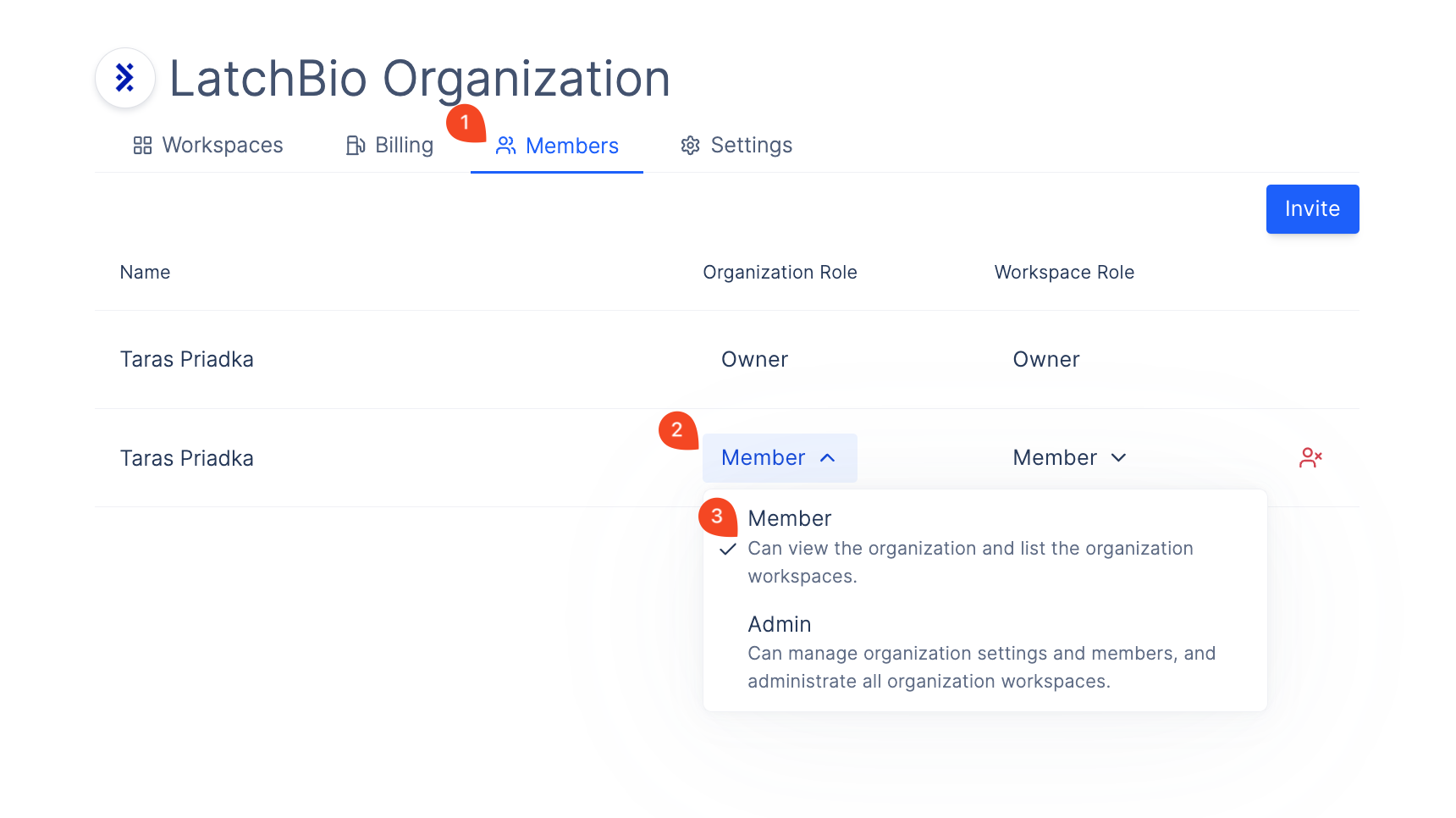
## Changing a Member Organization Role
To change an organization member's role:
1. Go to Organization Settings > Members Tab.
2. Click on the role dropdown for the user.
3. Select the new role.
 ## Changing a Member Organization Workspace Role
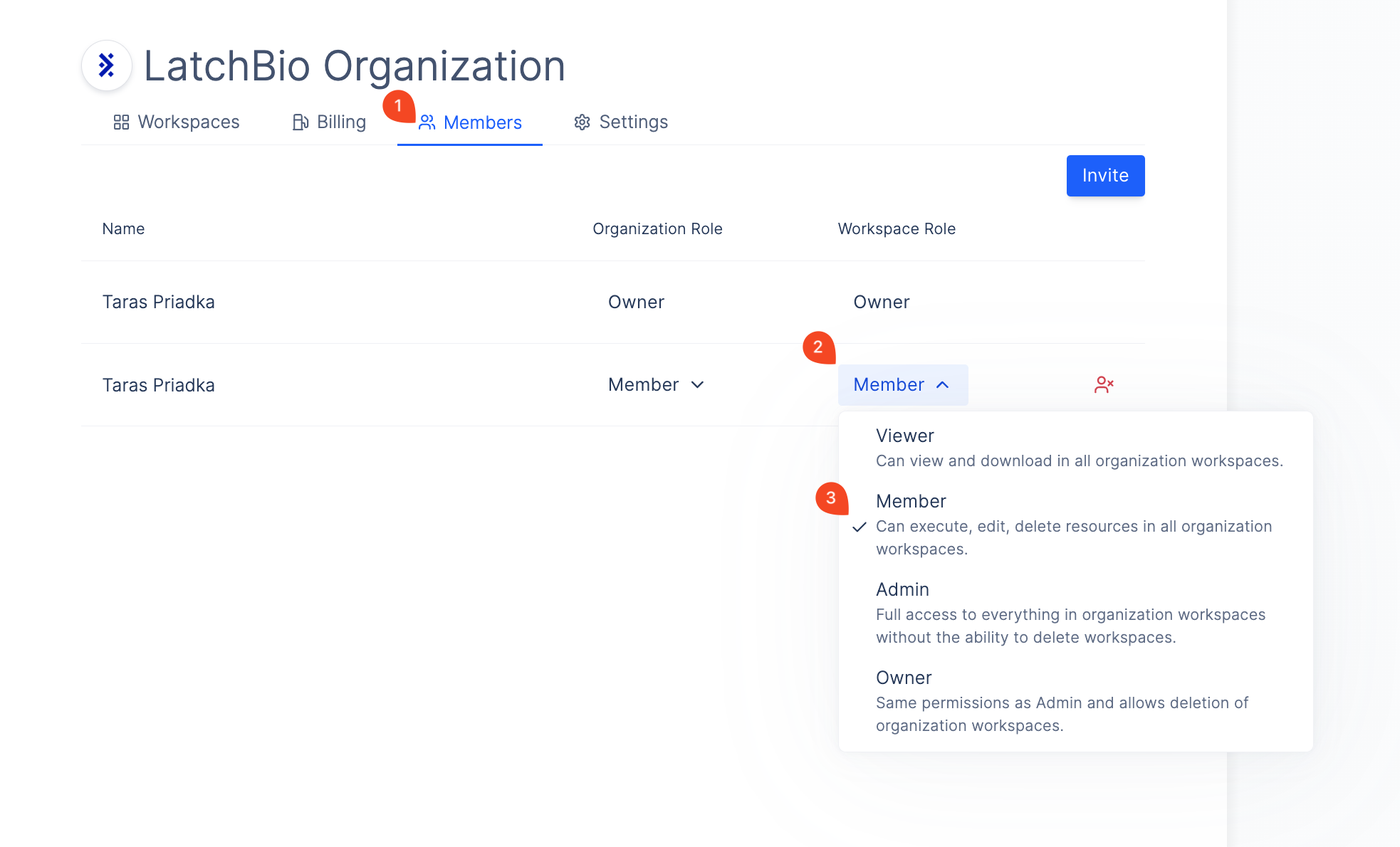
You can set a default role for a member which they will have in every organization workspace on Latch:
1. Go to Organization Settings > Members Tab.
2. Click on the workspace role dropdown for the user.
3. Select the new role.
* In this example, the user will have [Member](../workspaces/roles#member) permissions in every workspace in the organization.
## Changing a Member Organization Workspace Role
You can set a default role for a member which they will have in every organization workspace on Latch:
1. Go to Organization Settings > Members Tab.
2. Click on the workspace role dropdown for the user.
3. Select the new role.
* In this example, the user will have [Member](../workspaces/roles#member) permissions in every workspace in the organization.